
From Idea to Audiobook: The AI Novel Pipeline
Discover how AI can take your novel idea from concept to published audiobook in under 10 minutes — no writing experience, narrator, or design skills required.

You have an idea for a novel. Maybe it has been rattling around in your head for years — a sprawling fantasy epic, a tight psychological thriller, a romance that would make readers ugly-cry on their commute. You can see the characters. You know the ending. You have even daydreamed about what the audiobook narrator would sound like.
Then you sit down to actually make it happen, and reality hits.
Writing a novel takes most authors six to twelve months of sustained effort. And that is just the manuscript. Turning it into a polished, published book with professional narration? That is an entirely different mountain to climb. According to publishing industry data, 97% of people who start writing a book never finish it.
But what if the bottleneck was never your creativity — just the execution? What if you could go from that spark of an idea to a finished audiobook in under ten minutes?
That is exactly what a complete AI novel pipeline makes possible. And in this guide, we will walk through every stage of the journey.
The Traditional Path: Why Most Books Never Get Made
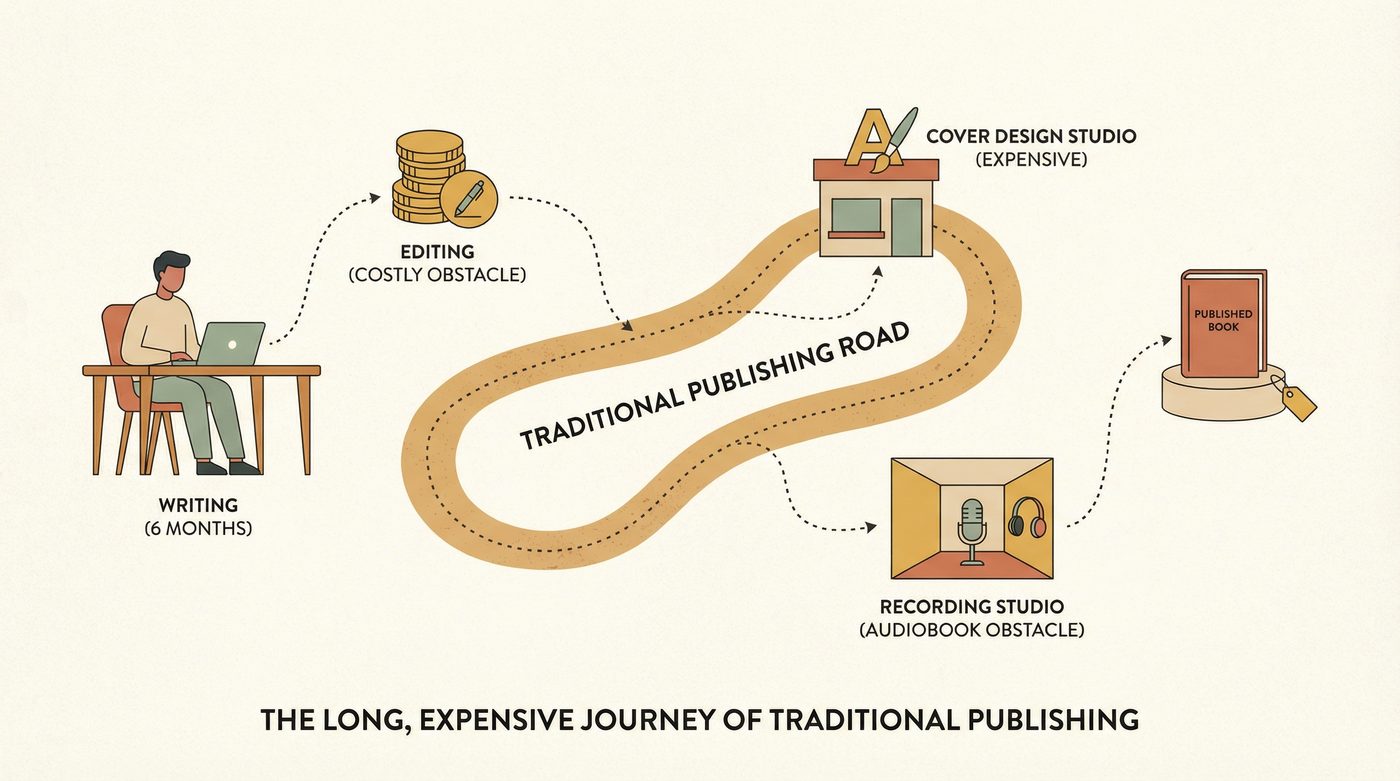
Before we talk about what is possible now, let us be honest about what the traditional process looks like. If you wanted to self-publish a novel with an audiobook in 2026, here is a realistic cost and time breakdown:
- Writing the manuscript: 6–12 months (assuming you actually finish)
- Professional editing: $2,000–$4,000 for an 80,000-word novel
- Cover design: $625–$1,250, based on Reedsy’s analysis of over 9,600 projects
- Audiobook narration: $200–$400 per finished hour, meaning $2,000–$4,000+ for a standard-length book
- Formatting and distribution: $200–$500
Total: $5,000–$10,000+ and anywhere from one to two years of your life.
That is a steep price for a first-time author who just wants to see if their story idea has legs. And the audiobook market is booming — projected to grow at over 10% annually through 2031 — which means skipping audio means leaving money and readers on the table.
Most aspiring authors never make it past the first hurdle. Not because they lack ideas, but because the gap between “I have an idea” and “I have a published book” is just too wide.
AI is closing that gap.
The Complete AI Book Pipeline: 7 Stages from Concept to Audiobook
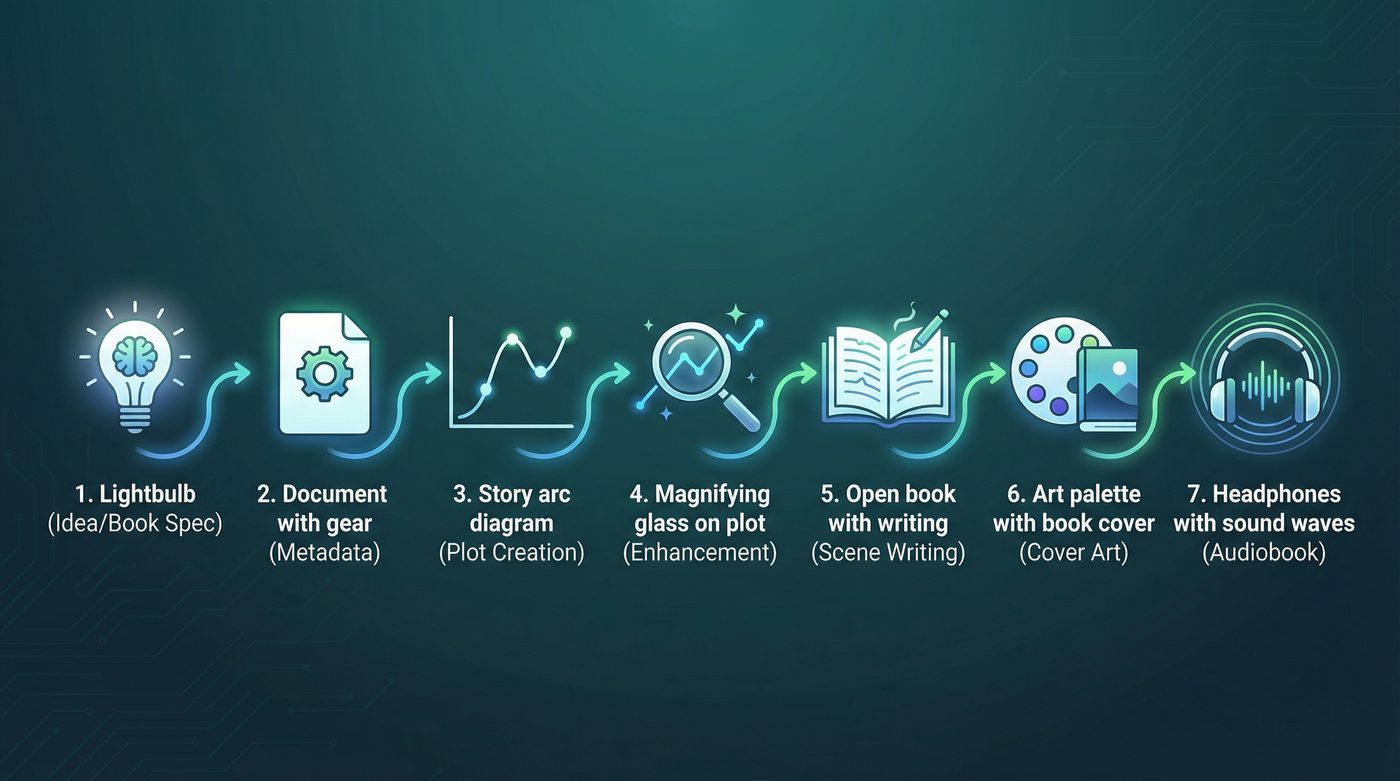
NovelHive’s end-to-end AI book creation pipeline breaks the entire process into seven automated stages. Each stage is handled by specialized AI models chosen for what they do best — the same way a publishing house assigns different experts to different tasks.
Here is how it works.
Stage 1: Book Specification — Define Your Novel’s DNA
Everything starts with your idea. You choose a genre, describe your premise, define key characters, set the tone, and specify the world your story inhabits. Think of this as the creative brief — the foundation that every subsequent stage builds on.
You can be as detailed or as broad as you want. “A cyberpunk mystery set in 2087 Tokyo where a disgraced detective hunts an AI serial killer” works. So does “A cozy romance in a small-town bakery.” The pipeline adapts to the depth you provide.
Stage 2: Metadata Generation — Titles, Blurbs, and Keywords
The AI generates your book’s metadata: a compelling title, subtitle, back-cover blurb, and keyword tags optimized for discoverability. These are not afterthoughts — they are generated with an understanding of what sells in your chosen genre.
Stage 3: Plot Architecture — Building the Blueprint
Using Cerebras gpt-oss-120b, the pipeline creates a three-act structure with a detailed chapter-by-chapter outline. This is not a vague sketch. Each chapter gets a purpose, key scenes, and narrative beats that move the story forward.
If you have ever stared at a blank document wondering “what happens next,” this stage solves that problem permanently.
Stage 4: Plot Enhancement — Adding Depth and Complexity
Here is where the story gets layered. The AI weaves in character arcs, plot twists, subplots, and thematic threads. Foreshadowing gets planted in early chapters. Character motivations deepen. The pacing gets tightened.
This is the difference between a plot and a story.
Stage 5: Scene Writing — Full Prose, Written Concurrently

This is the big one. Google Gemini handles full prose generation, writing complete scenes with dialogue, description, internal monologue, and action. The pipeline processes multiple acts concurrently, which is why a 100-chapter novel can be generated in minutes rather than hours.
We covered this in detail in our post about generating a 100-chapter novel in 7 minutes — the results consistently surprised us with their narrative coherence across long-form fiction.
Stage 6: Cover Art — A Professional Face for Your Book
Every book needs a cover, and AI generates one automatically based on your genre, setting, and story elements. No stock photos, no template designs — a unique cover created specifically for your novel.
Stage 7: Audio Narration — Studio-Quality Audiobook
The final stage transforms your novel into a complete audiobook using Kokoro TTS, a studio-quality AI narration engine. The result includes word-level timestamp synchronization — meaning readers can follow along as each word highlights in real time, similar to the experience on platforms like Apple Books or Audible.
We wrote a full guide on audiobook creation that dives deeper into the narration quality and export options.
What Makes an End-to-End AI Book Pipeline Different
There are plenty of AI writing tools. Most of them help you write better sentences or overcome writer’s block. That is useful, but it is not the same thing as a complete pipeline. Here is what sets an AI novel generator with audiobook capabilities apart:
Speed Without Shortcuts
The complete pipeline generates a full novel with audiobook in under ten minutes. That is not because it cuts corners — it is because AI does not get writer’s block, does not need coffee breaks, and can process multiple chapters simultaneously. The multi-model architecture assigns specialized AI to each task: planning models for structure, creative models for prose, voice models for narration.
Human Control at Every Stage
Speed means nothing if you cannot steer the output. NovelHive includes a review mode that lets you pause after each stage, review the results, and make edits before the pipeline continues. You are the creative director, not a passenger.
After generation, the AI content editing agent lets you refine your novel further — adjusting scenes, deepening characters, or reworking dialogue with an AI collaborator that understands your full story context.
Export-Ready for Every Platform
A finished book is not finished until it is in a format readers can actually consume. The pipeline exports to:
- EPUB — Ready for Kindle, Apple Books, Kobo, and other e-readers
- PDF — Print-ready formatting
- TXT — Plain text for maximum compatibility
- MP3 — Standard audio format for any platform
- M4B — Audible-ready audiobook format with chapter markers
No separate conversion tools. No manual formatting. One pipeline, every output format.
One Pipeline, Not Five Tools
Most creators cobble together a workflow from separate tools: one AI for writing, another for editing, a design tool for covers, a service for audiobook production, and a formatter for exports. Each handoff introduces friction, format issues, and cost.
A complete AI book pipeline handles everything in one place. Your story context carries through from the first premise to the final audiobook chapter — no copy-pasting between tools, no context lost in translation.
Real Results: What the Pipeline Actually Produces

This is not theoretical. NovelHive users are generating complete novels with audiobooks right now. A few things worth highlighting:
Scale: The pipeline handles novels up to 100 chapters. Not short stories or novellas — full-length books with complex plots and multiple character arcs.
Audio quality: Kokoro TTS produces narration that sounds remarkably natural. The word-level sync feature means you can read along as you listen, with each word highlighting in real time — a feature that most traditionally produced audiobooks do not even offer.
Consistency: Because the AI maintains story context across the entire pipeline, character names stay consistent, plot threads resolve properly, and the tone remains coherent from chapter one to the epilogue.
For a broader comparison of what is available in the AI novel generation space, check out our roundup of the best AI novel generators in 2026.
Getting Started: From Your Idea to a Finished Audiobook
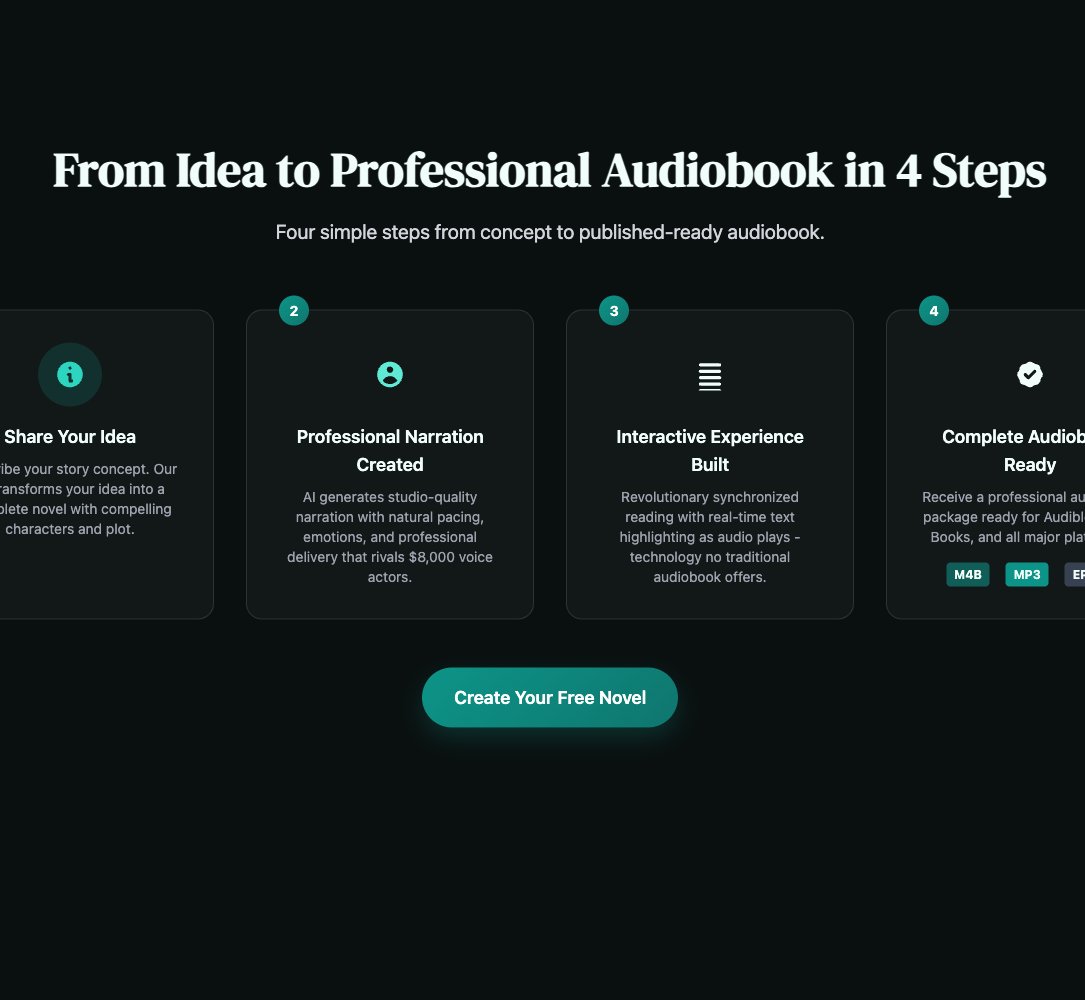
Ready to see what the pipeline can do with your story idea? Here is how to get started:
- Visit novelhive.ai — available on web and iOS
- Define your novel — Choose your genre, describe your premise, set your parameters
- Watch it come to life — Follow along in real time as each stage of the pipeline completes
- Review and refine — Use review mode to pause and edit at any stage
- Download everything — Export your finished novel, cover art, and audiobook in your preferred formats
Credits start at $4.99 for 50 credits, which means you can generate your first complete novel and audiobook for less than the cost of a coffee and a muffin. Compare that to the thousands of dollars and months of time the traditional path demands.
The Gap Is Closed
For decades, the distance between “I have an idea for a novel” and “I have a published audiobook” was measured in months and thousands of dollars. AI has compressed that distance to minutes and a few dollars.
That does not mean AI replaces human creativity. You still bring the idea, the vision, the story only you can imagine. The AI handles the execution — the part that stopped 97% of aspiring authors from ever crossing the finish line.
Your story is worth telling. Now there is nothing standing between the idea and the book.

NovelHive AI Team
Pioneering the future of AI-powered storytelling